


python cli-app/main.py --urls "https://google.com https://facebook.com"
CLI applications are ubiquitous and we are using them every day whether it be Git, Curl, or Pip. In this blog, I will show you how to build a Site Connectivity Checker using Python and Typer.
Typer is a fantastic library for quickly building CLI apps using Python’s standard type hints. It’s written by the same author of FastAPI – Sebastián Ramírez.
Overview
-
- Our application will make
GETrequests to the URLs provided by the users as a space-separated string or in a file, and display results.
- Our application will make
-
- By default, the app will make blocking requests with the help of the
requestslibrary.
- By default, the app will make blocking requests with the help of the
-
- We’ll make asynchronous requests to make our app faster with the
aiohttplibrary.
- We’ll make asynchronous requests to make our app faster with the
URL Retriever
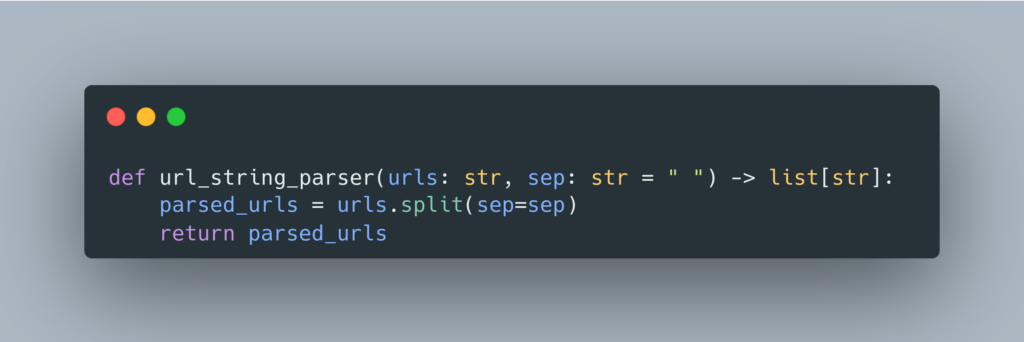
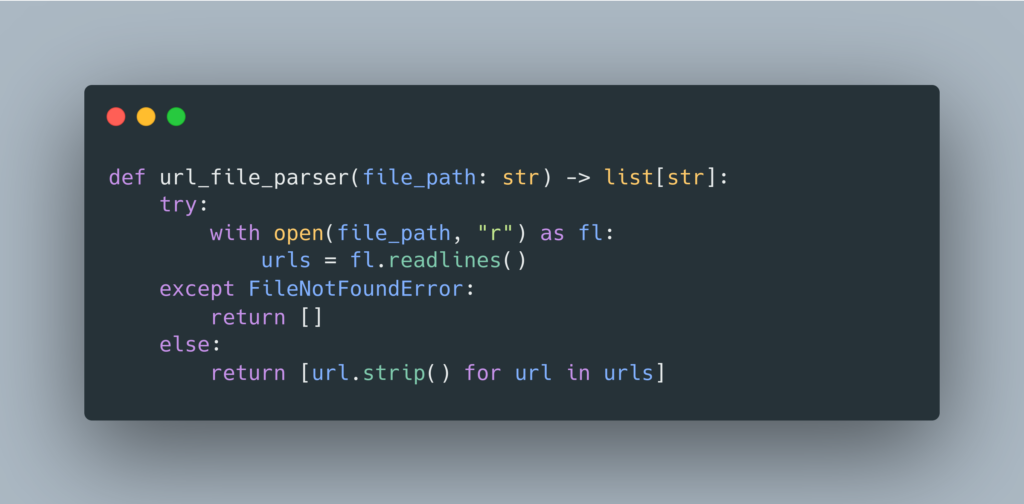
Users of our application can input URLs either as a space-separated string or in a file. Let’s implement the functions necessary to parse the URLs.
URLs from string
URLs from file
Blocking HTTP Requests
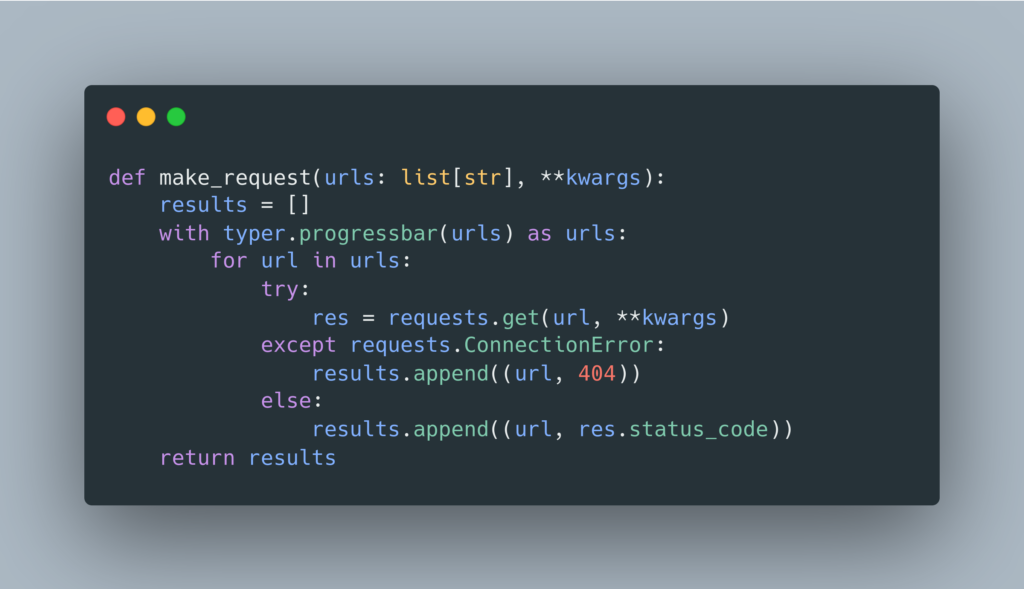
By default, our application will make blocking HTTP requests with the requests library. Let’s write our code for this default behavior.
Progressbar
You can display the progress of any time-consuming operations using the typer.progressbar.
Non-blocking HTTP Requests
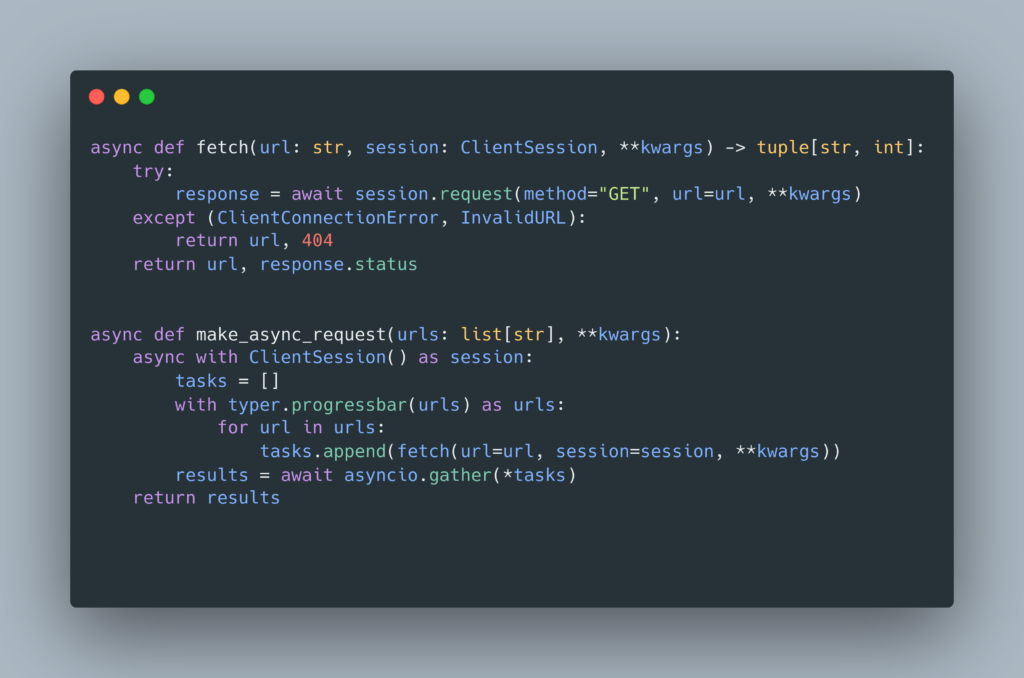
For multiple websites, blocking HTTP request is a very time-consuming process. Instead we can do better with the help of aiohttp. Our application will perform asynchronous requests if the --a option is supplied. Let’s write some functions to facilitate non-blocking HTTP requests.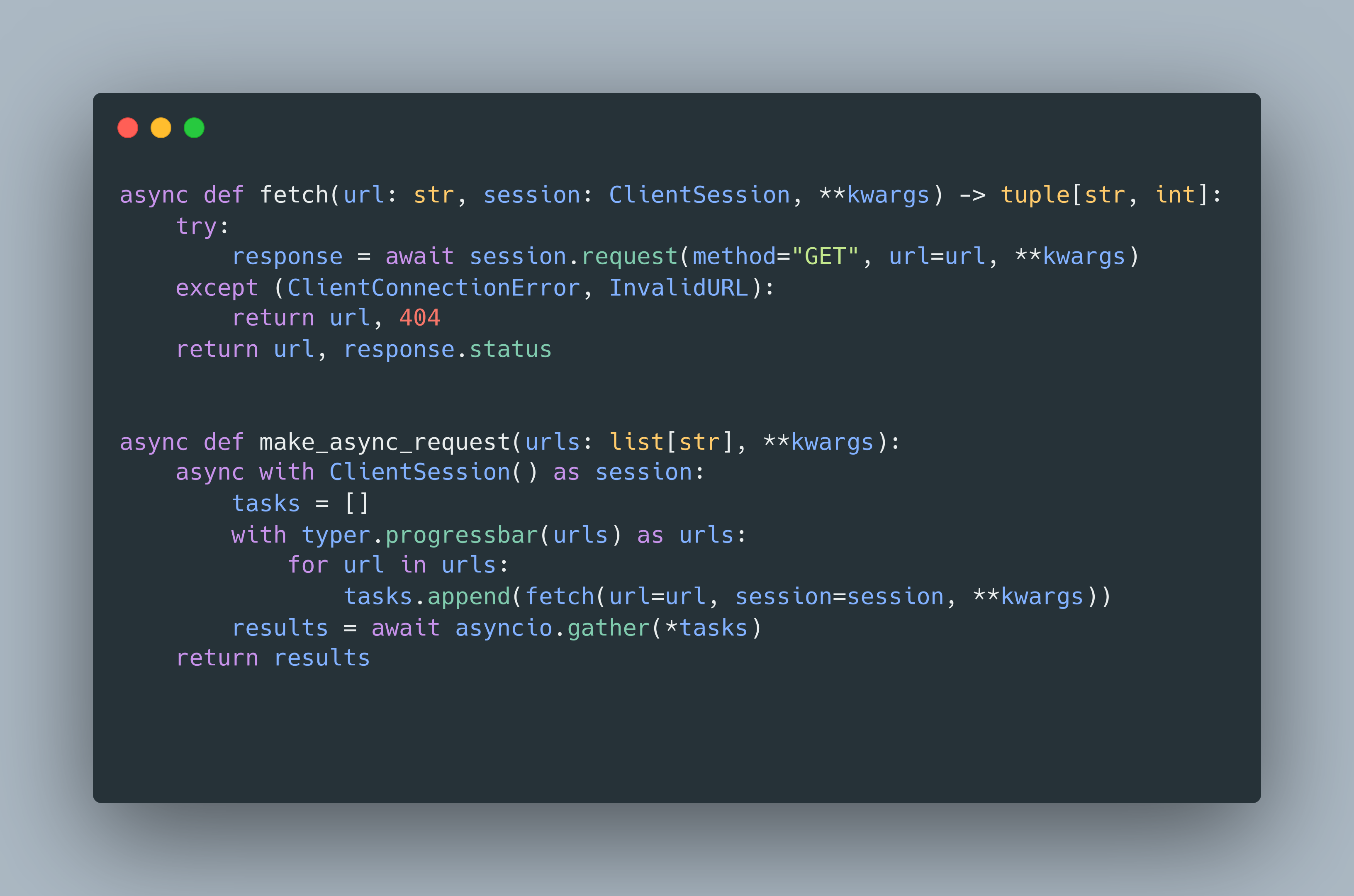
Displaying the results
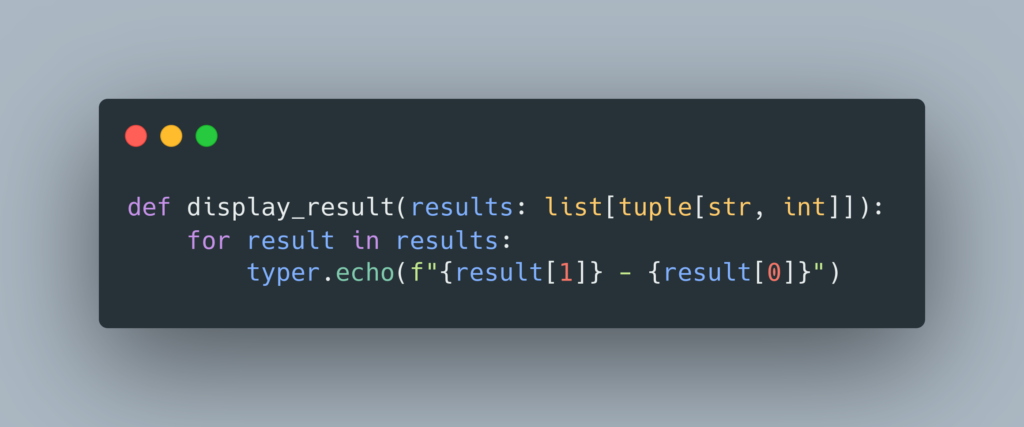
Printing with Echo
You can use typer.echo() to print to the screen. It’s recommended to use echo() instead of the standard print() function.
Enter main()
Let’s dive deep into the entry point of our app – the main.
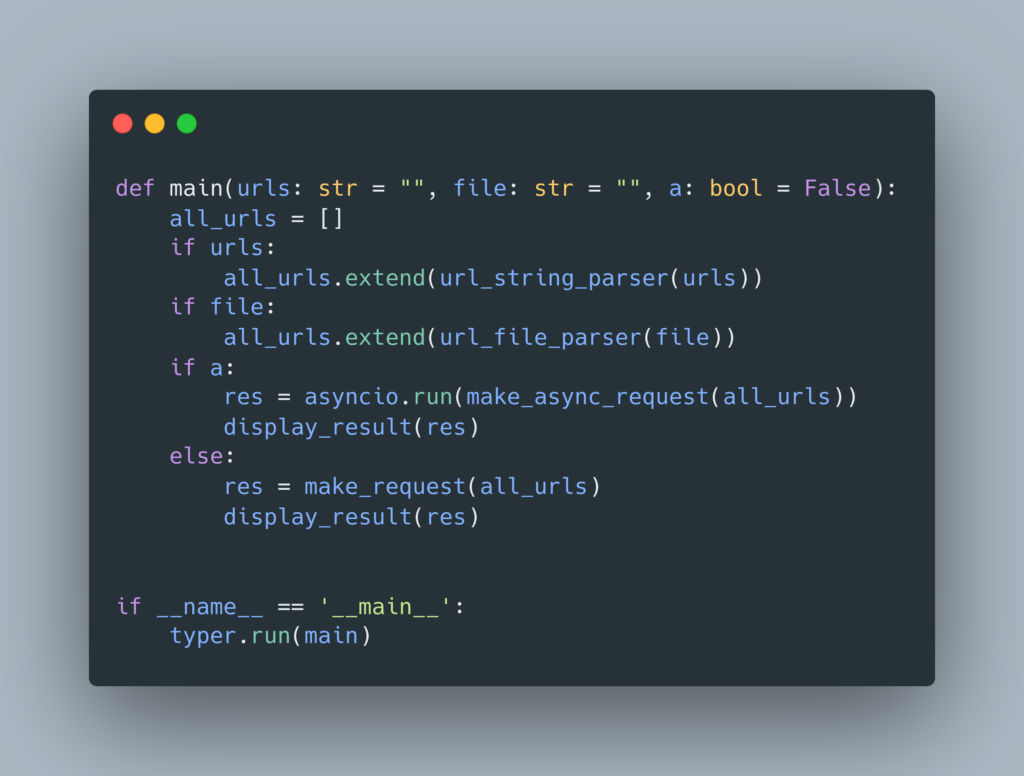
CLI options
We have three CLI options, namely --urls, --file and --a.
-
- If you supply
--urls, the app will parse the URLs from the given string.
- If you supply
-
- If you supply
--file, the app will read all the URLs in that file.
- If you supply
-
- If the
--aflag is enabled, the app will make asynchronous HTTP requests.
- If the
-
- The order of options does not matter.
Running our application
To run the app with a bunch of URLs separated by space, use the following command:
By default, the app will make blocking HTTP requests.
If you want to make non-blocking requests, supply the --a flag.
If you want your app to read URLs from a file, just pass the
--file option. You can also provide both --urls and --file options to allow your app to retrieve URLs from the given string and the file. 
Software Development Engineer



.png?width=110&height=79&name=glassdoor%20(1).png)